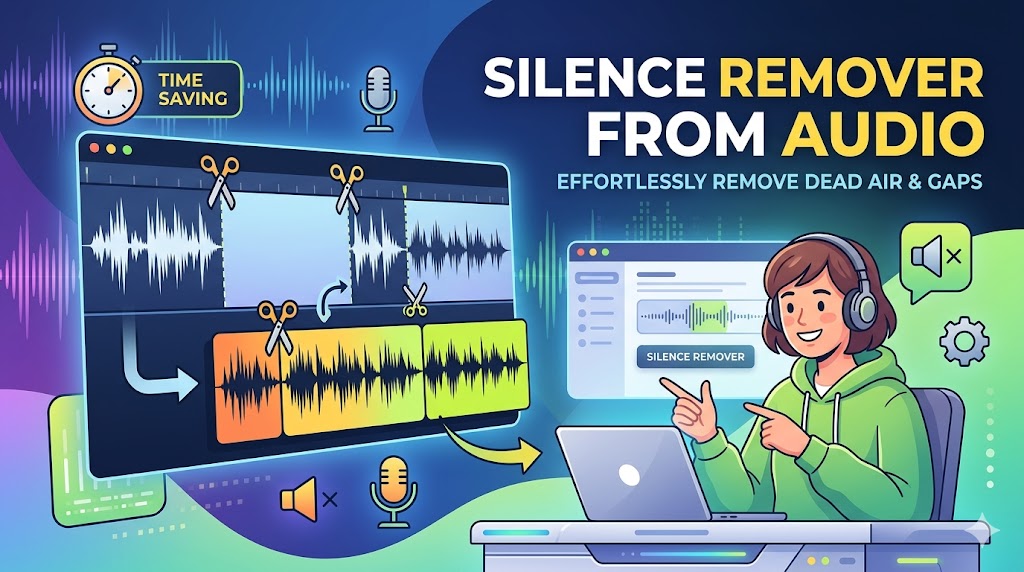
Every audio recording has silence in it. Some of it is intentional — a breath between sentences, a natural pause mid-thought. But most of it isn't: the dead air before you start speaking, the long gap while you fumble for your notes, the empty seconds between topics. A silence remover from audio finds all of it and cuts it out automatically, so you don't have to.
This guide covers exactly how silence removal works, who needs it, and how to do it for free in 2026 — no software required.
What Is a Silence Remover from Audio?
A silence remover is a tool — or a feature within a tool — that analyzes an audio file, identifies intervals where the volume falls below a certain threshold (i.e., silence or near-silence), and removes those intervals from the final output.
The result is a version of your recording that plays through without the awkward gaps. Your actual content — speech, music, sound — remains completely untouched. Only the empty space is gone.
How Silence Detection Works
Under the hood, silence detection works by measuring audio amplitude (loudness) across the waveform over time. When amplitude drops below a defined threshold for a defined minimum duration, that section is flagged as silence. Modern AI-based tools like BahaaSR go a step further — they distinguish between true silence, background noise, and soft speech, avoiding false positives that would cut meaningful audio.
Remove Silence from Your Audio — Free
Upload any audio file. BahaaSR's AI removes silence automatically. Download in seconds.
Try BahaaSR Free →Types of Silence That Get Removed
Not all silence is the same. Here are the categories a silence remover from audio handles:
1. Pre-Roll Silence
The empty seconds at the very start of a recording before any audio begins. This happens when you hit record but haven't started speaking. Every recording has it — and it serves no purpose in final output.
2. Post-Roll Silence
The tail end of a recording after the last sound. You finish speaking, then stop the recording five seconds later. Those five seconds are dead weight.
3. Mid-Recording Pauses
Gaps mid-way through your recording where you stopped to think, check your notes, or collect your thoughts. These are the most noticeable to listeners and the most common in unscripted content.
4. Between-Sentence Gaps
In natural speech, pauses between sentences are fine up to about 0.5–0.8 seconds. Beyond that, they start to feel like silence to a listener's ear. A silence remover trims these down to a natural length without cutting the sentence off.
5. Technical Dropouts
Occasional silent frames caused by recording software glitches, cable disconnections, or buffer issues. These are invisible in the waveform view but jarring to hear.
Why Removing Silence Matters
Your Listeners Won't Wait
Audio listeners are not passive. If your podcast, course, or audiobook contains frequent long pauses, listeners will skip forward — or stop entirely. Completion rates and average listen duration are the two metrics that matter most for audio content. Silence hurts both.
It Makes You Sound More Confident
Long pauses in a recording make the speaker sound uncertain, unprepared, or nervous — even if none of those are true. Tighter audio gives the same content more authority and presence.
It Reduces File Size
Every second of audio takes up file space. Removing silence from a 60-minute recording often reduces the file duration by 5–15 minutes, which translates directly to smaller file sizes and faster load times for listeners.
It Saves You Hours of Manual Editing
Finding and cutting silence manually in a DAW or audio editor like Audacity means scrubbing through the waveform, selecting each silent section, and deleting it one by one. For a 45-minute recording, that's easily 2–3 hours of work. Automatic silence removal does the same job in under 90 seconds.
How to Use BahaaSR as Your Silence Remover from Audio
BahaaSR is a free online silence remover — no installation, no account, no cost. Here's how it works:
- Go to BahaaSR.com in any browser
- Click "Choose File" or drag your audio file onto the upload area
- Wait 30–90 seconds while the AI processes your file
- Click Download to get your cleaned audio
That's the entire workflow. No settings to configure, no threshold to calibrate. The AI determines the optimal silence threshold based on the specific characteristics of your file.
What Formats Are Supported?
BahaaSR accepts all common audio formats:
- MP3 — Standard for podcasts, music, and voice
- WAV — High-quality uncompressed audio
- M4A / AAC — iPhone voice memos, Apple apps
- OGG / FLAC — Open-source and lossless formats
- WEBM — Browser-recorded or web audio
Silence Remover from Audio: Comparison of Methods
| Method | Speed | Ease of Use | Cost |
|---|---|---|---|
| BahaaSR (online) | 30–90 seconds | Upload & download | Free |
| Audacity (manual) | 1–3 hours | Requires learning | Free |
| Adobe Audition | 30–60 min | Complex setup | $20–55/month |
| Freelance editor | 1–5 days | No effort (you wait) | $30–150/file |
| FFmpeg (command line) | Fast | Requires technical knowledge | Free |
Who Uses a Silence Remover from Audio?
Podcasters
The #1 use case. Long-form podcast interviews and solo episodes accumulate significant silence over hours of recording. Trimming it is non-negotiable for professional-quality output.
YouTube Creators
Commentary tracks and voiceovers for YouTube videos must be tight. Gaps between thoughts cause viewers to disengage. Cleaning silence from audio before syncing to video improves retention measurably.
Online Educators
Course content recorded over multiple sessions often has inconsistent pacing. A silence remover from audio normalizes the pacing across all lessons, making the course feel cohesive and professional.
Voice Actors & Narrators
Professional narration studios include silence removal as a standard step before client delivery. With tools like BahaaSR, independent voice actors can match that standard for free.
Meeting & Interview Transcription
Recorded meetings and interviews fed into transcription services are faster and more accurate when silence is removed first. Less audio duration = lower transcription cost and faster turnaround.
Musicians & Producers
Recorded takes of instruments or vocals frequently have silence at the head and tail. Batch-cleaning these before import into a DAW saves session setup time and keeps project timelines clean.
What About Natural Pauses? Will They Be Removed Too?
A common worry: "If I remove silence, will my audio sound like a robot talking?"
This depends entirely on the tool. BahaaSR's AI-based silence remover is tuned to preserve natural conversational rhythm. Short pauses — the kind that happen between sentences or during a breath — are not removed. The tool targets extended silences (typically 1 second or more) and dead air, not the micro-pauses that make speech sound human.
The Golden Rule of Silence Removal
Remove silence that exists because of the recording process, not silence that exists because of the content. A dramatic pause in a story is intentional. A 4-second gap while you scroll to find your notes is not.
Privacy: Is Your Audio Safe?
When using any online silence remover, privacy is a valid concern — especially for confidential interviews, private recordings, or proprietary business content.
BahaaSR processes files on secure servers and deletes all uploaded and processed files automatically after your session. No audio is stored, retained, or shared. No account means no profile tied to your content.
Frequently Asked Questions
Does a silence remover affect audio quality?
No. Removing silence means cutting sections where no audio exists. The actual audio content — speech, music, sound effects — is not re-encoded or altered in any way. Output quality matches the input.
Can I remove silence from a WAV file without losing quality?
Yes. WAV is a lossless format and BahaaSR preserves lossless quality on output. The resulting WAV file will be identical in quality to your original, just shorter.
What if my recording has background noise instead of true silence?
Background noise (room tone, fan hum, air conditioning) can register as low-level audio rather than silence. BahaaSR's AI accounts for this — it uses intelligent threshold detection to identify what counts as silence in your specific file, even in noisy environments.
How much shorter will my file be after silence removal?
It depends on how much silence is in the original. For lightly edited recordings, expect 5–10% reduction. For raw, unedited recordings with frequent pauses, reductions of 15–25% are common.
Does it work on stereo and mono files?
Yes. BahaaSR handles both stereo and mono audio, preserving the channel configuration of your original file.
Is BahaaSR free to use?
Yes — completely free, with no registration, no trial limits, and no credit card required.
Conclusion
A silence remover from audio is one of the most practical tools in any content creator's workflow. It solves a universal problem — recordings that are too long, too padded, and too slow — in seconds, without manual editing or technical expertise.
Whether you're cleaning up a podcast episode, tightening a voiceover, or preparing audio for a course, removing silence is the fastest way to make your recordings sound more professional and keep your audience engaged.
Try BahaaSR now and hear the difference a clean, gap-free recording makes.
Remove Silence from Your Audio Now
Free. No signup. Works on any device. Results in under 90 seconds.
Start Free →