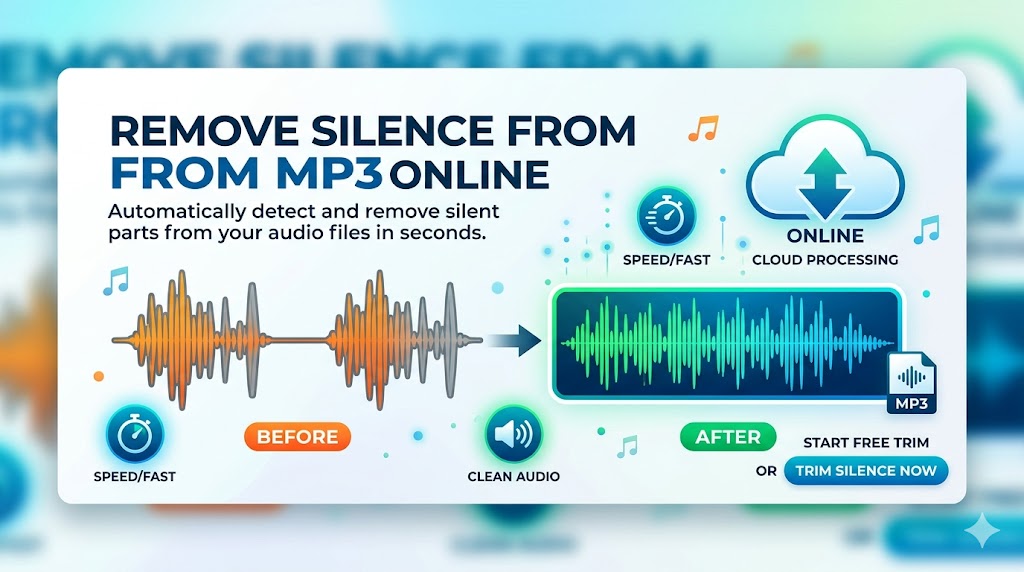
You have an MP3 file. It's too long, too padded with awkward pauses, or it starts and ends with dead air. You want to remove the silence — but you don't want to download software, watch tutorials, or spend an hour in a timeline editor.
This is exactly what remove silence from MP3 online tools are built for. In this guide, you'll see how it works, what to expect, and how to do it for free right now using BahaaSR.
Why MP3 Files Have So Much Silence
MP3 is the most common audio format for a reason — it's compact, widely supported, and good enough for most use cases. But when you record or export to MP3, silence is baked in at every stage:
- Recording start/stop delay: The gap between pressing record and starting to speak
- Thinking pauses: Natural hesitations that pile up in unscripted content
- Between-segment gaps: Dead air between topics, sections, or takes
- Export artifacts: Some software adds a few milliseconds of silence at the start and end during MP3 encoding
- Multitrack merges: When combining clips, gaps between segments carry over into the final export
For a 30-minute podcast episode, this silence can easily add up to 3–5 minutes of wasted runtime.
Remove Silence from Your MP3 Online — Free
No software. No account. Upload your MP3 and download the cleaned version in seconds.
Try BahaaSR Free →How to Remove Silence from MP3 Online Using BahaaSR
BahaaSR is a free, browser-based tool that removes silence from MP3 files automatically. No installation, no account, no configuration. Here's the complete process:
- Open BahaaSR.com in any browser (Chrome, Firefox, Safari, Edge)
- Upload your MP3 file — click the upload area or drag and drop
- Wait for processing — AI scans and removes silence (30–90 seconds typically)
- Download your cleaned MP3 — same format, same quality, no gaps
That's the complete workflow. There are no settings to adjust — BahaaSR's AI automatically determines the optimal silence threshold for each individual file.
What Happens to MP3 Quality?
This is the most common question. The short answer: quality is preserved.
Silence removal only cuts sections where no audio exists. The actual audio content is not re-compressed, re-encoded, or altered. The output MP3 uses the same bitrate as your input file. If you upload a 192kbps MP3, you get a 192kbps MP3 back — just shorter.
What BahaaSR Removes vs. What It Keeps
| Type of Audio | Removed? | Why |
|---|---|---|
| Long pauses (1+ seconds) | ✅ Yes | Unwanted dead air |
| Pre-roll / post-roll silence | ✅ Yes | No content value |
| Between-segment gaps | ✅ Yes | Interrupts listening flow |
| Short natural pauses (<0.8s) | ❌ Kept | Part of natural speech rhythm |
| Breath pauses | ❌ Kept | Makes speech sound human |
| All spoken content | ❌ Never touched | Is the actual content |
| Music / sound effects | ❌ Never touched | Is the actual content |
When Should You Remove Silence from an MP3?
Before Publishing a Podcast
Podcast listeners notice silence immediately. Even a 2-second pause mid-episode prompts many to skip forward. Removing silence from your MP3 before uploading to Spotify, Apple Podcasts, or RSS makes every episode feel tighter and more professional.
Before Submitting Voiceover Work
Clients and production houses expect clean, trimmed audio. Submitting a voiceover MP3 with leading/trailing silence or mid-take gaps is unprofessional. Removing it is a baseline expectation in professional voice work.
Before Uploading to YouTube
Many creators record commentary as MP3, then sync it to video. If the audio file has silence that doesn't match the video's pacing, it causes sync issues and awkward dead stretches in the video. Pre-cleaning the MP3 makes the sync process cleaner.
Before Sending to a Transcription Service
Transcription tools — whether AI or human — charge by the minute or process faster on shorter files. Removing silence from your MP3 before submission reduces the file duration and, in many cases, lowers your cost.
Before Using in a Course or Presentation
Embedded audio in slide decks, LMS platforms, or e-learning tools needs to be tight. Students don't tolerate unnecessary silence. Cleaning your MP3 before embedding ensures a professional listening experience.
Online vs. Desktop: Which Is Better for MP3 Silence Removal?
| Criteria | Online (BahaaSR) | Desktop Software |
|---|---|---|
| Setup time | Zero | 15–60 minutes |
| Disk space used | 0 MB | 50 MB – 15 GB |
| Processing time | 30–90 seconds | 10–120 minutes (manual) |
| Works on Chromebook | ✅ Yes | ❌ No |
| Learning curve | None | Hours of tutorials |
| Cost | Free | Free to $55/month |
| Offline access | ❌ Needs internet | ✅ Works offline |
For the vast majority of users who work with internet access, the online approach wins on every practical dimension except offline availability.
MP3 File Size Limits & What to Expect
BahaaSR accepts MP3 files up to 500MB. To put that in context:
- A 60-minute podcast at 128kbps MP3 = ~58 MB
- A 60-minute podcast at 192kbps MP3 = ~87 MB
- A 3-hour interview at 192kbps = ~260 MB
Almost all practical podcast and voice MP3 files fall well within this limit.
How Much Will My MP3 Shrink?
Depends on how much silence is in the original:
- Lightly edited recording: 3–8% shorter
- Average unedited interview: 10–18% shorter
- Raw solo recording with frequent pauses: 20–30% shorter
Pro Tip: Record Raw, Clean Later
Don't try to minimize pauses while recording. Speaking naturally without worrying about silence produces better, more relaxed audio. Use BahaaSR to clean up the gaps in post — consistently, automatically, and in seconds.
Privacy When Removing Silence from MP3 Online
Uploading audio to an online service raises legitimate privacy questions, especially for confidential interviews, private recordings, or client work.
BahaaSR addresses this directly:
- No account required — nothing is linked to your identity
- Files deleted automatically — both the original and the processed file are deleted after your session
- No data retention — audio is not stored, analyzed, or used for any purpose beyond the immediate processing task
- HTTPS encryption — all file transfers are encrypted in transit
Frequently Asked Questions
Can I remove silence from an MP3 without re-encoding it?
Strictly speaking, MP3 silence removal requires accessing the audio data, which involves decoding and re-encoding. However, BahaaSR preserves the original bitrate and encoding settings, so the output quality is effectively identical to the input. There is no perceptible quality difference.
Will the output file be MP3 as well?
Yes. If you upload an MP3, you get an MP3 back. BahaaSR returns audio in the same format as the input file.
How do I remove silence from an MP3 on my phone?
BahaaSR is browser-based, so it works on mobile browsers as well as desktop. Open BahaaSR.com in Safari or Chrome on your phone, upload your MP3, and download the cleaned file — the same process as desktop.
What's the difference between silence removal and noise removal?
Silence removal cuts sections of the recording where no audio is present. Noise removal reduces background noise (hiss, hum, room tone) within audio sections. They solve different problems — silence removal is for dead air, noise removal is for audio quality.
Can I use this on multiple MP3 files?
Yes — you can process files one after another. BahaaSR Pro supports batch processing of up to 10 files at once for higher-volume workflows.
How long does processing an MP3 take?
Most MP3 files process in 30–90 seconds. Files larger than 100MB may take 2–3 minutes. Processing time is determined by file duration, not file size.
Conclusion
If you need to remove silence from an MP3 online, BahaaSR is the fastest, simplest, and most cost-effective way to do it. No software to install, no account to create, no settings to configure — just upload your MP3 and get a clean, trimmed version back in under two minutes.
Whether you're producing podcasts, cleaning up voiceover work, or preparing audio for any other use, removing silence from your MP3 is the single easiest improvement you can make to the listening experience.
Try it now — your first file is free, and so is every file after that.
Remove Silence from MP3 Online — Free
Upload your MP3. Clean audio in seconds. No signup required.
Start Free →