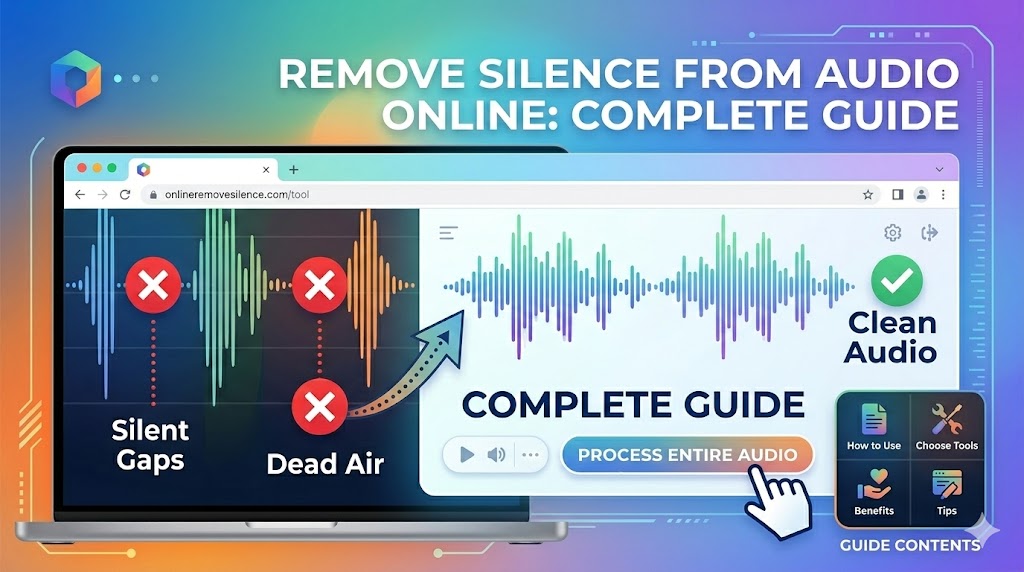
Need to remove silence from audio files but don't want to download software? Online tools make it easier than ever to clean up your audio files right in your web browser - no installation, no technical expertise required. This complete guide shows you the best methods to remove silence from audio online in 2026.
Why Remove Silence from Audio Online?
Online audio processing has revolutionized how we handle audio files. Here's why removing silence online beats traditional desktop software:
- No Installation Required: Works instantly in any web browser
- Cross-Platform Compatible: Windows, Mac, Linux, Chromebook - all supported
- Always Up-to-Date: Latest algorithms without manual updates
- No Storage Space Needed: Processing happens in the cloud
- Access Anywhere: Work from any device with internet
- Faster Processing: Cloud servers often faster than local machines
Remove Silence from Audio Online Now
Upload your audio file and get it processed in seconds - completely online and free
Try It Free Online →Best Tools to Remove Silence from Audio Online
1. BahaaSR (Recommended - 100% Free)
BahaaSR is the most powerful free online tool to remove silence from audio files:
Key Features:
- ✅ AI-powered silence detection
- ✅ Supports all major formats (MP3, WAV, FLAC, AAC, OGG, M4A)
- ✅ Files up to 100MB
- ✅ No registration required
- ✅ Completely free, forever
- ✅ Secure processing (files auto-deleted)
- ✅ Fast processing (30 seconds for most files)
Why Choose BahaaSR:
Unlike other "online" tools that are just glorified download pages, BahaaSR truly processes your audio in your browser without requiring any software installation. Upload, process, download - that's it.
2. AudioDirector Online
- Pros: User-friendly interface, multiple editing features
- Cons: Requires registration, limited free features, file size restrictions
- Best For: Users who also need video editing
3. Clideo Audio Editor
- Pros: Simple interface, works on mobile
- Cons: Adds watermarks to free exports, slow processing
- Best For: Very basic editing needs
4. Online Audio Converter
- Pros: Also converts formats
- Cons: Manual silence removal, less sophisticated detection
- Best For: Users who need format conversion too
Step-by-Step: Remove Silence from Audio Online with BahaaSR
Follow these simple steps to clean your audio files online:
Step 1: Access the Online Tool
Visit BahaaSR.com - no account creation or download required. The tool works instantly in any modern web browser (Chrome, Firefox, Safari, Edge).
Step 2: Upload Your Audio File
Click the upload button or drag and drop your audio file. Supported formats:
- MP3 (most common)
- WAV (uncompressed)
- FLAC (lossless)
- AAC (Apple/iTunes)
- OGG (open format)
- M4A (Apple)
Step 3: Automatic AI Processing
Our online AI analyzes your audio waveform and automatically:
- Detects silent sections below the threshold
- Identifies unwanted pauses and gaps
- Preserves natural speech rhythm
- Removes dead air and long silences
Step 4: Download Processed File
Once processing completes (usually 30-60 seconds), download your cleaned audio file. The original format is preserved, ensuring compatibility with all devices and software.
"I edit 5-10 podcast episodes per week. Using an online tool like BahaaSR saves me hours compared to desktop software. No installation, no updates, just upload and process." - Mike Chen, Podcast Producer
Advantages of Online Audio Silence Removal vs Desktop Software
| Feature | Online Tools | Desktop Software |
|---|---|---|
| Installation Required | ❌ No | ✅ Yes |
| Storage Space Needed | ❌ No | ✅ Yes (500MB-2GB) |
| Works on Chromebooks | ✅ Yes | ❌ No |
| Automatic Updates | ✅ Yes | ❌ Manual |
| Learning Curve | Easy | Moderate-Steep |
| Processing Speed | Fast (cloud servers) | Depends on PC |
Remove Silence from Different Audio Types Online
Podcast Audio
Podcasters love online silence removal because it's fast and doesn't interrupt their workflow. Upload your recorded episode, remove awkward pauses, and download - all while editing show notes or preparing graphics.
Music Production
Clean up music demos, remove silence at track starts/ends, or prepare stems for mixing. Online tools handle music files just as well as speech content.
Voice Recordings
Voice memos, interviews, lectures, and presentations often have excessive silence. Clean them up online in seconds without installing professional audio software.
Audiobook Chapters
Audiobook producers use online tools to remove chapter gaps and clean up narration pauses, creating a more polished listening experience.
YouTube Audio
If you're editing audio for YouTube videos, removing silence online keeps your content tight and engaging, improving audience retention.
Technical Guide: How Online Silence Removal Works
Cloud-Based Processing
When you remove silence from audio online, here's what happens:
- Upload: Your audio file is securely uploaded to cloud servers
- Analysis: AI algorithms analyze the waveform for silence patterns
- Detection: Silent sections below a threshold are identified
- Processing: Unwanted silence is removed while preserving quality
- Download: Your cleaned file is available for download
- Deletion: Original and processed files are automatically deleted
Security & Privacy
Many users worry about uploading audio files online. Here's how BahaaSR ensures your privacy:
- HTTPS Encryption: All uploads are encrypted
- Auto-Deletion: Files deleted immediately after processing
- No Storage: We don't keep copies of your files
- No Listening: Completely automated - no human access
- No Sharing: Your audio never leaves our secure servers
Quality Preservation
Online silence removal doesn't reduce audio quality. The actual audio content remains bit-perfect - only silent sections are removed. Your voice, music, or other content stays exactly as recorded.
Best Practices for Online Audio Silence Removal
Choose the Right File Format
While all formats work, here are the best choices:
- MP3: Best for speech/podcasts (smaller files, faster uploads)
- WAV: Best for music/mastering (uncompressed quality)
- FLAC: Best for archival (lossless compression)
Optimize File Size for Online Processing
To process faster online:
- Use 192kbps for podcasts (sufficient quality, smaller size)
- Use 256-320kbps for music
- Compress WAV to FLAC if size is an issue
Understand What Gets Removed
Online silence removal typically targets:
- Pre-roll silence (before content starts)
- Post-roll silence (after content ends)
- Long pauses (1+ seconds of complete silence)
- Dead air between segments
Natural speech pauses (0.2-0.5 seconds) are usually preserved to maintain conversational flow.
💡 Pro Tip for Podcasters
Process your podcast episodes online right after recording. This fits naturally into your workflow - record, upload for silence removal while you write show notes, then download the cleaned version for final editing and publishing.
Troubleshooting Common Issues
Slow Upload Speed
If uploads are slow:
- Check your internet connection
- Try a lower bitrate MP3 (192kbps is usually sufficient)
- Upload during off-peak hours
- Use a wired connection instead of WiFi if possible
File Size Too Large
If your file exceeds 100MB:
- Convert WAV to FLAC (70% size reduction, no quality loss)
- Use a lower bitrate (192kbps for speech, 256kbps for music)
- Split into smaller segments
Processing Takes Long
Normal processing times:
- Short files (5-15 min): 30-60 seconds
- Medium files (15-45 min): 1-2 minutes
- Long files (45-60 min): 2-3 minutes
Alternatives: When Desktop Software Makes More Sense
While online tools are convenient, desktop software might be better if you:
- Work Offline Frequently: Desktop software doesn't need internet
- Process Very Large Files: 500MB+ files work better locally
- Need Advanced Editing: Multi-track editing requires desktop DAWs
- Batch Process 100s of Files: Local automation can be faster
However, for 90% of users, online tools like BahaaSR provide all the functionality needed without the hassle of software installation.
Frequently Asked Questions
Is it safe to remove silence from audio online?
Yes, when using reputable tools like BahaaSR. We use HTTPS encryption and automatically delete all files after processing. Your audio never leaves our secure servers and is never accessed by humans.
Do I need to register or create an account?
No! BahaaSR requires no registration, no email, no account. Just visit the site, upload your file, and download the result.
What's the maximum file size I can process online?
BahaaSR supports files up to 100MB, which covers most podcast episodes and recordings up to 60 minutes at good quality.
Will removing silence reduce audio quality?
No. The actual audio content remains unchanged - only silent sections are removed. There's no quality degradation in the remaining audio.
How long does online processing take?
Most files process in 30-90 seconds. Processing time depends on file size and current server load, but online tools are typically faster than desktop software on older computers.
Can I use online tools on mobile devices?
Yes! BahaaSR works on smartphones and tablets. Just use your mobile browser - no app installation needed.
What happens to my files after processing?
Files are automatically and permanently deleted immediately after you download the processed version. We don't keep any copies.
Conclusion: The Future of Audio Editing is Online
Removing silence from audio online represents the future of audio editing - accessible, instant, and requiring zero technical expertise or expensive software. Whether you're a podcaster, musician, content creator, or casual user, online tools make professional audio editing available to everyone.
BahaaSR combines the best of online processing: powerful AI silence detection, complete privacy, zero cost, and instant results. No installation, no registration, no hassle.
Ready to clean up your audio files? Remove silence from your audio online now - it takes less than a minute.
Start Removing Silence from Audio Online
Join thousands who trust BahaaSR for online audio silence removal
Process Audio Online Free →